
Best Video Editing Settings for YouTube on Low-End PC (2026 Guide)
Best video editing settings for YouTube on low-end PC: Use 1080p resolution, 30 FPS, H.264 format, and 8–10 Mbps bitrate.
Read more
Best video editing settings for YouTube on low-end PC: Use 1080p resolution, 30 FPS, H.264 format, and 8–10 Mbps bitrate.
Read more
Best Export Settings for Low-End PC (No Lag + Fast Rendering Guide 2026) Rendering a video on a low-end PC
Read more
Video editing lag on low-end PCs is caused by slow storage, high-resolution footage, too many effects, and poor optimization. Using
Read more
Introduction If you are using CapCut Desktop on a 4GB RAM PC, you already know the struggle. The screen freezes.
Read more
CapCut vs Filmora for Low-End PC (2026 Comparison – Which One Is Better?) Choosing between CapCut and Filmora on
Read more
Best Video Editors for 2GB RAM PC – Tested & Optimized for Low-End Systems (2026) Best FREE Video Editors
Read more
Introduction Exporting a video should be the final, satisfying step of your video editing workflow. But if you are editing
Read more
Learn video editing step by step with this beginner guide. Simple tips, best software, and easy methods for low-end PCs.
Read more
Best Video Editing Software for Low-End PC (2026 Beginner Guide) Can You Edit Videos on a Low-End PC? Yes—If You
Read more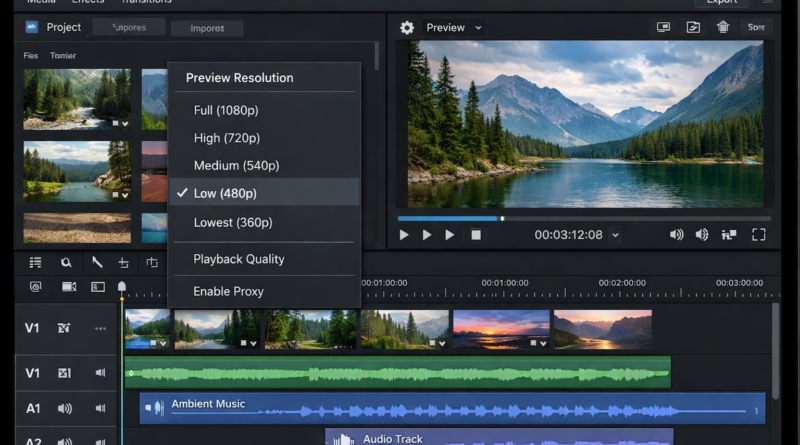
📝 How I Fixed Video Editing Lag on My Low-End PC (4GB RAM) – Real Tested Guide 🔥 Introduction If your
Read more