
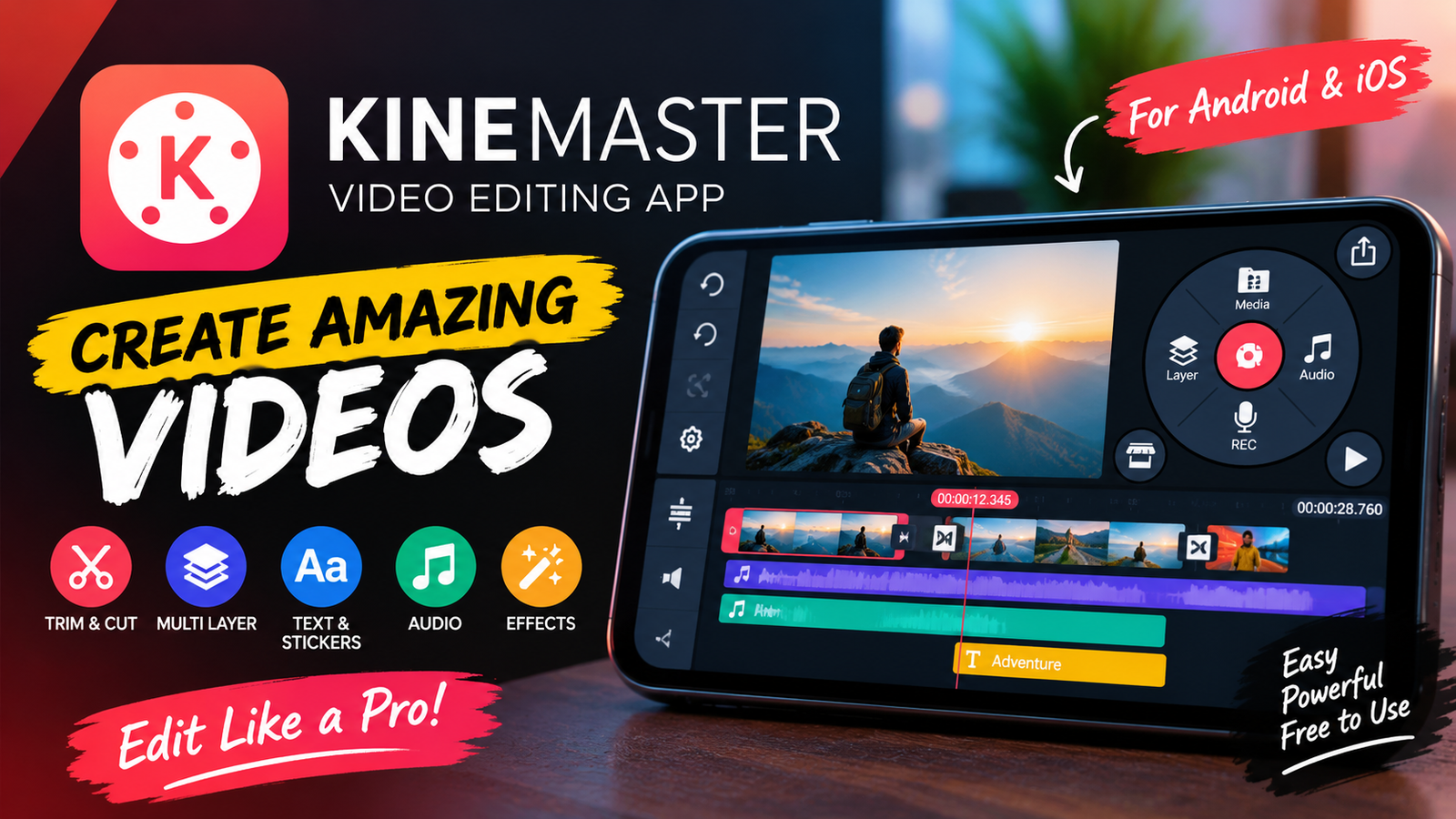
KineMaster Premium APK for Android is a popular video editing application used by people who want more creative control while editing videos on their smartphones or tablets.
It is widely chosen by content creators, vloggers, students, social media users, and even small business owners who need a simple but capable editing tool for daily use.
The app is known for combining an easy interface with advanced editing features, which makes it suitable for both beginners and experienced users.
Many Android users search for KineMaster Premium APK because they want a smoother editing experience with access to more tools, effects, and creative options.
It is often associated with people looking for better project control, improved exports, and a more flexible workflow for editing different kinds of videos.
Whether someone is making reels, tutorials, presentations, YouTube content, or personal clips, the app is designed to make the process easier and more efficient.
One of the main reasons behind its popularity is mobile editing convenience.
Instead of relying on heavy desktop software, users can edit videos directly on their Android devices with trimming tools, layers, audio support, transitions, text options, and visual effects.
This makes the app highly useful for modern creators who want to produce content quickly without sacrificing too much quality or creative freedom.
As the demand for mobile content creation continues to grow, KineMaster Premium APK for Android remains a widely searched option among users who want a feature-rich editing solution.
In the following sections, we will cover its overview, key features, latest updates, download details, safety points, and other important information to help you understand the app more clearly.
What is KineMaster Premium APK?
KineMaster Premium APK is generally used as a search term for an Android package file related to the KineMaster video editing app with premium-level features in mind.
People usually search for it when they want a more advanced mobile editing experience on Android devices. The app itself is well known for video trimming, multi-layer editing, audio tools, transitions, text support, effects, and high-quality export options.
In simple terms, it refers to an Android installable version of KineMaster that users associate with extra editing flexibility and a more feature-rich workflow.
Many people look for this term because they want better creative control while editing reels, tutorials, presentations, social media clips, or personal videos directly from their phones or tablets.
Its appeal mainly comes from convenience, as it allows users to edit content on mobile without needing complex desktop software.
KineMaster is popular among beginners as well as regular content creators because its interface is easy to understand while still offering tools that feel professional for mobile editing.
This balance of usability and functionality is one of the main reasons the app continues to attract a large audience.
When discussing KineMaster Premium APK, it is important to focus on the app’s editing capabilities, overall usability, device compatibility, and file source reliability.
In the next sections, you can explain its main features, how it works, installation basics, and other useful details that help users understand it better.
KineMaster Pro APK Overview
KineMaster Pro APK is commonly searched by Android users who want a more feature-rich version of the KineMaster video editing app for mobile use.
It is mainly associated with users looking for better editing flexibility, smoother project handling, and more creative tools directly on their smartphones or tablets.
The app is widely used for editing short videos, tutorials, presentations, reels, vlogs, and other types of digital content.The app belongs to the video editing category and is known for offering a simple but powerful editing experience on Android devices.
Users often prefer it because it combines basic tools like trimming and cutting with more advanced options such as multiple layers, text editing, transitions, audio control, and visual effects.
This balance of simplicity and functionality makes it appealing to both beginners and regular creators who want practical editing tools without moving to desktop software.
Many people search for KineMaster Pro APK for Android because they want a smoother workflow and a better range of editing options while working on mobile.
It is designed to support content creation in a more convenient way, allowing users to edit and export videos from almost anywhere.
This makes it useful for social media creators, students, marketers, and anyone who needs quick editing access on a portable device.
Overall, KineMaster Pro APK stands out because of its mobile-friendly design, broad editing capabilities, and easy project management.
Its strong popularity comes from the fact that it helps users create polished videos with greater creative freedom while keeping the editing process simple and accessible on Android devices.
Key Features of KineMaster Mod APK?
KineMaster Mod APK is often searched by Android users because it is associated with a more flexible and feature-rich mobile video editing experience.
The app is known for offering a wide range of tools that help users create polished videos directly from their smartphones or tablets.
From basic editing controls to more advanced creative options, it supports different types of projects in a practical and user-friendly way.
KineMaster Mod APK
Whether someone is editing reels, tutorials, vlogs, presentations, or personal clips, the overall feature set makes the app useful for both beginners and regular content creators.
The following features explain why KineMaster continues to remain one of the most popular mobile video editing apps for Android users.
Ad-Free Experience
KineMaster Premium APK provide an ad-free experience that helps users edit videos with fewer interruptions during the creative process.
Instead of dealing with distracting pop-ups or waiting through promotional screens, editors can stay focused on trimming clips, arranging layers, adding effects, and adjusting audio.
This creates a smoother workflow, especially for people who work on longer or more detailed projects.
It is particularly useful for regular creators who need to edit multiple videos in one session.
A distraction-free editing environment can improve both speed and comfort, making the overall app experience feel more professional and more suitable for serious content creation on mobile devices.
Text, Titles, and Captions
KineMaster allows users to add text, titles, and captions directly into their projects, which is very useful for making videos more informative and attractive.
You can customize font style, size, color, position, and animation to match the style of your content.
This is especially helpful for subtitle creation, video intros, scene labels, and call-to-action messages.
On-screen text is important for social media platforms where many viewers watch videos without sound at first.
Well-designed text elements also improve clarity and make the overall project look more structured, professional, and easier for audiences to follow.
No Watermark
It also provide no watermark feature which is important for users who want cleaner and more professional-looking final videos.
Watermarks can distract viewers, reduce visual appeal, and make content look less polished, especially in business presentations, marketing videos, or branded social media posts.
Without a watermark, the final output appears more natural and easier to share across different platforms.
This is especially valuable for creators who care about presentation quality and visual consistency.
For many users, watermark-free export is not just about appearance but also about giving content a more finished and original feel when viewed by audiences online.
Full Asset Store Access
KinMaster Pro APK for Android also unlock full asset store which gives users a broader collection of creative elements that can improve the visual quality of their videos.
These assets may include transitions, stickers, fonts, overlays, animations, effects, and music resources that make editing faster and more flexible.
Instead of building every element from scratch, users can choose ready-made design resources that match the mood and style of their project.
This saves time while also expanding creative possibilities.
A larger library of built-in assets helps editors produce more polished and customized videos, especially when working on social media content, promotional clips, or repeated content formats.
Audio Editing Tools
Strong audio support is another important feature of KineMaster.
Users can add background music, voiceovers, sound effects, and recorded audio clips into the timeline with ease.
The app also provides tools for trimming audio, adjusting volume, adding fade in or fade out effects, and syncing sound with visuals.
This improves the overall viewing experience and helps videos feel more polished.
Audio editing is especially useful for tutorials, storytelling videos, promotional clips, and cinematic edits.
Good sound balance can make even a simple video feel much more engaging, and KineMaster helps users manage this without too much complexity.
High-Quality Export
KineMaster Mod APK also allow export in high-quality which is one of the most important parts of any video editing app because it determines how the final video looks after editing is complete.
Even if a project is edited well, poor export quality can reduce sharpness, weaken details, and affect the overall viewing experience.
Strong export support helps maintain clarity, smooth motion, and better presentation across platforms like YouTube, Instagram, and Facebook.
This is especially useful for creators who want their content to look professional on different screens. Better export quality also gives users more confidence that their editing effort will appear polished in the final saved file.
KineCloud Storage
KineMaster Premium APK Latest Version also comes with KineCloud storage which is designed to make project management easier by giving users a way to save and access editing-related data more conveniently.
Cloud-based support can help with syncing projects, storing important files, and making content more accessible across supported devices or sessions.
This can be useful for users who work on multiple videos and want better organization without depending only on local phone storage.
It may also reduce the risk of losing certain project-related progress because of device issues.
Cloud support adds convenience by helping creators manage their editing work in a more flexible and organized digital environment.
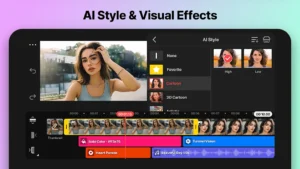
Transitions and Visual Effects
KineMaster offers a variety of transitions and visual effects that help improve the overall presentation of a video.
Transitions make it easier to connect clips smoothly, while effects can change the look and feel of different scenes.
These tools are useful for travel edits, event videos, reels, and promotional content where better visual flow matters.
Users can choose styles that match the tone of the project without making the editing process too difficult.
When used correctly, these features help make videos more dynamic and polished.
They also give creators more room to experiment with creative presentation.
Advanced Editing Tools
It also unlock advanced editing tools which give users more control over how their videos look and feel.
These tools usually go beyond simple trimming and joining by supporting layers, speed control, keyframe-style adjustments, visual effects, green screen work, and more detailed scene customization.
Such features are useful for creators who want stronger storytelling, smoother visual presentation, or more professional project structure.
They also help users experiment with different editing styles without needing desktop software for every task.
On mobile devices, advanced tools make it possible to create more polished and creative videos while keeping the editing process practical and portable.
Advanced Audio Editor
KineMaster Mod APK for Android is also an advanced audio editor that improves the sound quality and balance of a video project by giving users more control over music, voiceovers, effects, and recorded audio.
Instead of using only basic sound placement, users can trim tracks, adjust volume levels, synchronize audio with visuals, and create smoother fade-ins or fade-outs.
This is especially important for tutorials, storytelling videos, interviews, and promotional content where sound clarity affects viewer engagement.
Good audio editing can make videos feel much more complete and professional.
It also helps creators deliver a clearer message by improving how spoken words and background sounds work together.
Exclusive Assets
KineMaster Pro APK also unlock exclusive assets which refers to unique editing resources that are not part of the most basic tool set and can help videos look more distinctive.
These may include premium-style transitions, overlays, fonts, motion graphics, effects, templates, or music elements that give projects more personality and visual variety.
For creators who publish content regularly, access to special assets can reduce repetition and make each new video feel fresher.
This is useful for branding, social media identity, and audience engagement.
Unique creative resources can make editing faster while also helping users produce videos that stand out more clearly from ordinary content.
What’s New in the KineMaster Pro APK Latest Version?
The latest version of KineMaster APK continues to improve the overall mobile editing experience with better performance, smoother workflow, and more practical tools for everyday creators.
Users who search for KineMaster APK latest version or KineMaster Premium APK latest version are usually looking for recent improvements that make video editing faster, easier, and more efficient on Android devices.
One of the main areas of improvement in recent updates is interface refinement.
The app experience has become more streamlined for users who edit reels, tutorials, vlogs, and short videos directly on their phones.
Better project handling, smoother navigation, and improved tool placement can make editing feel more comfortable, especially for users who work on longer or more detailed projects.
A cleaner editing workflow often helps save time and reduces confusion during the creative process.
Recent versions are also commonly associated with improved stability and bug fixes.
These updates are important because they can reduce crashes, improve media loading, and make timeline editing more responsive.
For users searching terms like KineMaster Pro APK latest version or KineMaster updated APK, the main interest usually comes from wanting a more reliable editing experience with fewer interruptions.
In addition, newer versions may include refinements to audio controls, effect handling, export performance, and general compatibility with newer Android devices.
These changes may not always look dramatic at first, but they can improve daily usability in meaningful ways.
Overall, the latest version of KineMaster focuses on better performance and smoother editing, which helps the app remain a popular choice among Android video creators.
Difference Between KineMaster APK and KineMaster Premium APK
Many users get confused between KineMaster APK and KineMaster Premium features because both terms are often used in similar searches. However, they are not exactly the same in meaning.
One usually refers to the Android application package used for installation, while the other is related to the extra tools, assets, and benefits available within the app experience.
Understanding this difference is important for users who want to know what they are actually getting before installation or use.
The comparison below explains the main differences in a simple and clear format so readers can better understand how the standard app experience and premium-level features are generally viewed.
| Sr. No. | Bases of Differences | KineMaster APK | KineMaster Premium APK |
|---|---|---|---|
| 1 | Access Type | KineMaster APK generally refers to the standard Android app package used to install the official KineMaster app on a device.
It provides access to the normal application environment and basic editing workflow depending on the version installed and the user’s account status. |
KineMaster Premium APK provide extra tools, assets, and benefits available through the official paid plan inside the app.
These are tied to the app account or subscription model rather than being treated as a separate unofficial APK experience. |
| 2 | Feature Availability | The standard KineMaster app gives users access to core editing tools such as trimming, cutting, layering, text insertion, transitions, and audio handling.
It is enough for many regular editing tasks and supports basic to moderate content creation needs on Android devices. |
KineMaster Premium App is associated with a broader editing experience, where users may get more creative resources, expanded tools, and a smoother workflow for advanced projects.
This makes it more suitable for creators who edit frequently and want deeper functionality for polished video production. |
| 3 | Editing Flexibility | KineMaster APK supports practical mobile editing and works well for casual creators, students, and users making short-form videos.
It allows project creation, clip arrangement, media imports, and export options, making it a useful choice for day-to-day mobile content editing. |
The features offered by KineMaster Pro APK are generally preferred by users who need more control over design, effects, and editing resources.
They are more useful for regular creators, marketers, and social media users who want a richer editing environment and more creative freedom in project execution. |
| 4 | Assets and Resources | In the standard app setup, users may have access to a limited set of built-in effects, text styles, transitions, and visual elements depending on the available version and account level.
This is often enough for simple and clean editing needs. |
It’s usually associated with a wider range of assets such as effects, transitions, overlays, design elements, and other creative resources.
This gives editors more variety and helps videos look more customized without requiring external design tools for every small enhancement. |
| 5 | User Suitability | KineMaster APK is well suited for beginners and casual users who want to edit videos on mobile without dealing with complex software.
Its interface is simple enough for first-time users while still offering enough tools for learning and experimenting with mobile editing. |
KineMaster Mod APK is better suited for people who create content more regularly and need stronger project control.
These users may include YouTubers, business owners, influencers, trainers, and digital creators who want more advanced editing support inside the same mobile platform. |
| 6 | Output Experience | The standard app allows users to edit and export videos for social platforms, personal sharing, school work, and simple presentation needs.
It covers the main workflow from project creation to final output and is often enough for users with basic or moderate editing goals. |
It also allow more refined output experience with stronger creative support and potentially more polished final projects to its users.
This app is often chosen by users who want better consistency across frequent content production and branding-focused edits. |
| 7 | Workflow Depth | KineMaster APK provides a straightforward editing process that focuses on essential tasks like media import, clip timing, transitions, text placement, and audio arrangement.
This makes it efficient for people who value speed, simplicity, and practical editing tools on Android. |
KineMaster Pro APK also support a deeper workflow by offering more room for customization, design variation, and creative experimentation.
This can be especially helpful for editors who work on layered projects, recurring content formats, or videos that require a more distinctive visual style. |
| 8 | Cost Structure | The standard KineMaster app can be installed and explored in its regular form, making it accessible to a broad range of Android users.
It is often the starting point for people who want to try mobile video editing before deciding whether they need more tools. |
It offers all those features which are connected to the official paid access model of the app.
This means users generally choose them when they feel that extra tools, broader resources, and a more complete editing environment are worth the added cost for their content goals. |
| 9 | Best Use Case | KineMaster APK is best for users who need an easy mobile editor for short videos, social media posts, school projects, simple tutorials, and quick personal edits.
It supports the main functions required for creating content without making the process feel too technical. |
KineMaster Premium APK is best for users who want a more advanced editing environment for regular content creation, brand-focused videos, promotional work, and visually stronger projects.
They are more suitable when editing demands go beyond simple trimming and standard mobile video production. |
Is KineMaster Mod APK Safe?
KineMaster Premium APK can be safe in some cases, but its safety mainly depends on the file source, authenticity, and whether it has been modified.
If the APK comes from an unknown or untrusted source, there is always a risk of altered code, malware, hidden ads, tracking, or other security issues.
Source reliability matters most when installing any APK file on an Android device.

Many users search for KineMaster Premium APK for Android because they want more flexibility in installation, but not every APK available online is equally trustworthy.
Some files may be repackaged, outdated, or changed in ways that affect performance and security.
That is why users should always review permissions, scan the file, and avoid suspicious or poorly maintained download sources.
In general, safety depends less on the app name and more on whether the file is original, clean, and compatible with the device.
Users should also keep their Android system updated and avoid installing files that ask for unnecessary permissions.
So instead of simply saying it is always safe, it is better to say that it can be safe when obtained carefully from a reliable source.
How to Download KineMaster Premium APK?
Before downloading KineMaster Mod APK for Android, users should understand the basic steps involved in getting the file safely and correctly on their device.
Many people prefer the APK version because it allows manual installation and gives them more control over the app version they choose.
This can be useful for users who want a direct installation process on their smartphones or tablets.
Downloading the right file version is important because compatibility can affect both installation and app performance.
Users should check device storage, Android version, and file source before starting the download.
The following section will explain how to download KineMaster Premium APK for Android in a simple and organized way.
You can download KineMaster Mod APK by two methods which are discussed below:-
Download by Method 1
- Click on the Free Download Button: Start by clicking on the Free Download button to initiate the download process.
- Redirect to Download Page: After clicking the button, you will be redirected to the download page.
- Click on the Download Now Button: On the download page, find and click the Download Now button. This action will prepare the file for download.
- Automatic File Download: After clicking the button, you will be taken to a post download page where the file will begin downloading automatically. Wait for the download to complete.
Download by Method 2
Users who prefer a quicker option can skip the above steps by clicking the Download Setup Button to download the file immediately without additional redirects.
How to Install KineMaster Premium APK?
If you want to install KineMaster Pro APK on your Android device, it is important to follow the correct process before starting the download.
Many users look for the APK version when they want manual installation, easier access to the app file, or more control over the version they install.
Understanding the basic download process can help avoid confusion and reduce the chances of using the wrong file.
Many people search for KineMaster Premium APK for Android because they want a simple way to get the app on their phones or tablets without complications.
Before downloading, users should check device compatibility, available storage, and the version details of the file.
The following section explains the general process of downloading KineMaster Mod APK in a clear and easy-to-follow way.
- Check Your Device Compatibility: Ensure that your device is running on Android 5.0 (Lollipop) or later. This version is necessary for the KineMaster Mod APK to function properly.
- Download the APK: Download the KineMaster Mod APK file from our designated page. Make sure you have completed the download process successfully.
- Enable “Unknown Sources”: Before installing the APK, you need to allow installations from unknown sources. To do this:
- Go to Settings on your device.
- Tap on Security (or Privacy, depending on your device).
- Find the Unknown sources option and enable it. This will allow you to install apps that are not from the Google Play Store.
- Install the Downloaded File: Navigate to the location where the APK file was downloaded (usually in the Downloads folder). Tap on the APK file to start the installation process.
- Grant Permissions: During the installation, you may be prompted to grant various permissions for the app to function correctly. Review the permissions requested and tap Allow to proceed.
- Open the App: Once the installation is complete, you will see a confirmation message. Tap Open to launch the KineMaster Mod APK.
- Enjoy Premium Features: After opening the app, you can log in or create a new account and start enjoying all the premium features that the KineMaster Mod APK has to offer!
Final Conclusion
KineMaster Premium APK remains a widely searched option among Android users who want a more flexible mobile video editing experience.
It is popular because it combines a simple editing interface with a strong range of tools that support different kinds of video projects.
Whether someone is creating short clips, social media content, tutorials, presentations, or personal edits, the app is often seen as a practical choice for handling video editing directly on a smartphone or tablet.
One of the biggest reasons behind its popularity is editing convenience on mobile.
Users are able to trim clips, manage layers, add text, adjust audio, apply transitions, and improve overall presentation without relying on desktop software.
This makes the app useful for beginners who want easy controls as well as for regular creators who need a smoother and more capable workflow for day-to-day editing tasks.
KineMaster Premium APK for Android is also commonly associated with users looking for more creative freedom, better project control, and a broader editing experience.
Its appeal continues to grow because mobile content creation has become more important for social media, education, marketing, and personal use.
The combination of accessibility, functionality, and a mobile-friendly design helps the app stand out in a competitive editing category.
At the same time, users should always pay attention to the file source, version details, and device compatibility before installation.
A careful download approach is important for both performance and safety.
Overall, KineMaster Premium APK remains an appealing choice for users who want an Android video editor that feels practical, feature-rich, and convenient for modern content creation.
-
Pros
- Easy and user-friendly interface.
- Supports multi-layer video editing.
- Useful text, audio, and transition tools.
- Suitable for beginners and regular creators.
- Works well for mobile content creation.
- Convenient editing on Android devices.
-
Cons
- Performance may vary on low-end phones.
- Some versions may raise safety concerns.
- Heavy projects can use more battery and storage.




Leave a Reply